Researchers have identified a GhostPairing scam that hijacks WhatsApp accounts by tricking users into pairing an attacker-controlled device. The attack uses a fake Facebook login page and a deceptive pairing-code prompt so victims unknowingly authorise access. Avast warns the campaign creates a rapid "snowball" spread as compromised accounts are used to target contacts. Users should check Settings > Linked Devices, remove unknown devices, and enable two-step verification.
GhostPairing: New 'Snowball' Scam Hijacks WhatsApp Accounts via Device Pairing

The logo of US instant messaging software Whatsapp displayed on a smartphone's screen, in Frankfurt am Main, western Germany, on 1 December, 2025 (AFP via Getty Images)
Security researchers have uncovered a new campaign — dubbed GhostPairing — that lets attackers take over WhatsApp accounts without breaking the app’s encryption by abusing legitimate device-pairing features.
How the Scam Works
The attack begins with a message that appears to come from a trusted contact and contains a link promising to show a photo. The link leads to a fake Facebook login page that asks for a phone number. Instead of delivering an image, the page triggers WhatsApp’s device-pairing flow: it displays a pairing code and instructs the user to enter that code into their WhatsApp app.
When the victim types the code into WhatsApp, they unknowingly authorize an attacker-controlled device to pair with their account. That gives the attacker real-time access to messages, photos, videos and voice notes — and the ability to message the victim’s contacts to spread the scam further.
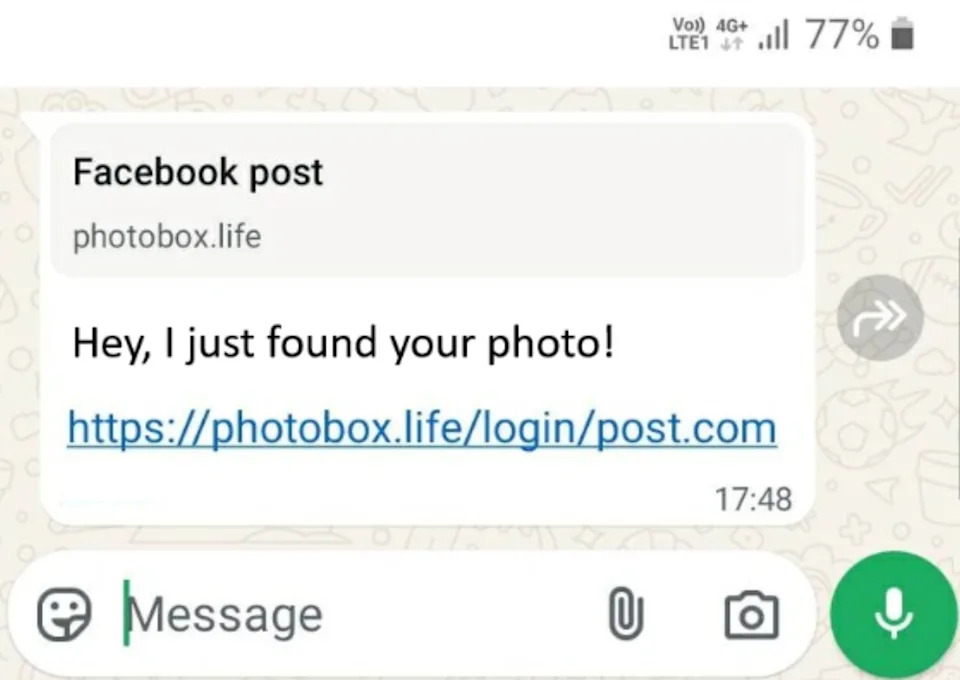
How a WhatsApp lure message might appear in a 'GhostPairing' attack (Avast/ Screenshot)
Why It Spreads Quickly
Researchers at cybersecurity firm Avast warn the campaign produces a "snowball effect": once an account is compromised, attackers use it to send the same deceptive messages to that person’s contacts, dramatically accelerating the number of victims. Avast’s Luis Corrons explains this represents a shift in cybercrime tactics, where exploiting users’ trust becomes as important as breaking security systems.
"Scammers are persuading people to approve access themselves by abusing familiar mechanisms like QR codes, pairing prompts, and 'verify on your phone' screens that feel routine," said Luis Corrons, Security Evangelist at Avast.
What You Can Do Now
If you use WhatsApp, check which devices are linked to your account and remove any you don't recognise: open WhatsApp > Settings > Linked Devices. If you find unfamiliar devices, remove them immediately and sign out of all web sessions.
Other recommended precautions:
- Do not enter pairing codes or verification codes you receive unless you initiated the action.
- Be wary of unexpected links, even if they appear to come from known contacts — confirm via a separate channel before interacting.
- Enable WhatsApp’s two-step verification (a PIN) to add an extra layer of account protection.
- Keep your device OS and apps updated and consider using a reputable security app to detect phishing pages and scams.
Avast cautions that some victims may not realise their accounts were taken over, so periodic checks of linked devices and vigilance around unexpected pairing prompts are essential. The Independent has reached out to WhatsApp for comment.
Help us improve.